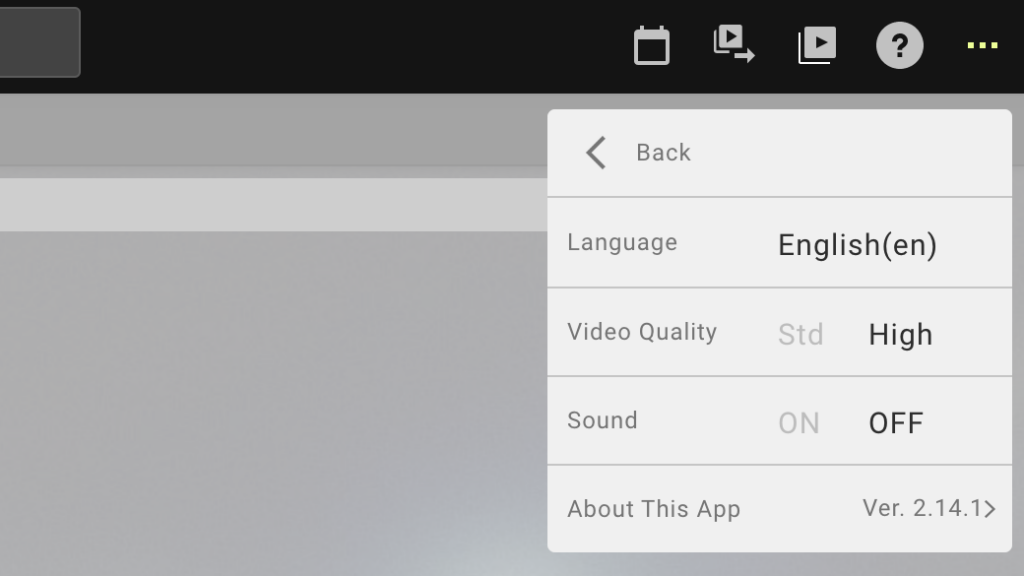
FL-UX Offline FL-UX Offline Lorem ipsum dolor sit amet, consectetur adipiscing elit. Ut elit tellus, luctus nec ullamcorper mattis, pulvinar dapibus leo. Edit Profile Step 1. Click on the menu Click on the menu, the “…” on the top right corner of the page. The click on the profile which is the first item on the menu Change Logged In Team Step 1. Click on the menu Click on the menu, the “…” on the top right corner of the page. The click on Change Logged in Team This will display all team accounts you are a part of Step 2. Sign in Log in once again with your user ID and password App Settings Step 1. Click on the menu Click on the menu, the “…” on the top right corner of the page. The click on App Setting You can change the language, video quality, sound, and app version from this window Current Usage Step 1. Click on the menu Click on the menu, the “…” on the top right corner of the page. The click on App Setting You can check how many hours to upload and how many hours to export you have left for the month based on your plan from this window.